Uspacy
Score every contact in Uspacy based on similarity to your best customers — with transparent AI breakdown of every factor.
Available
CRM
~5 min
setup
Real-time
sync
All plans
availability
🎯
Automatic Scoring
Every new contact automatically receives a Lead Score — based on similarity to your best customers.
🔍
Transparent Score
See the top reasons why a lead matches your best customers — seniority, company size, industry fit, and more.
⚡
Real-time Sync
Webhook-based sync with latency under 30 seconds. Scores update with every change.
🛡️
Privacy-Safe
Data is never shared with third parties. Scoring happens locally. SOC 2 and GDPR compliant.
Use Cases
Lead Scoring in Uspacy CRM
Your sales team works in Uspacy and receives new leads daily. Without Conturs, each lead is reviewed manually. With Conturs, every contact gets an AI-powered Lead Score — focus on the best-fit leads first and close deals faster.
Filter & Prioritize by Score
Use the Conturs score column to sort and filter your Uspacy contacts. Set up views for Hot (80+), Warm (50–79), and Cold (<50) leads. Your SDRs instantly know who to call first.
ABM Campaigns
Preparing a targeted outbound campaign? Score your prospect list in Uspacy, export leads where Score > 75, and use them for LinkedIn Ads or email sequences. Higher relevance, better ROI.
Setup Steps
Open the Store — Scroll down in the Uspacy sidebar and click Store to open the marketplace.
Find Conturs Lead Scoring — Scroll through the marketplace and find the Conturs Lead Scoring app card.
Open the App — Click the app card. Review the description and the Instructions tab.
Install — Click Configure. The app will install and automatically load your contacts.
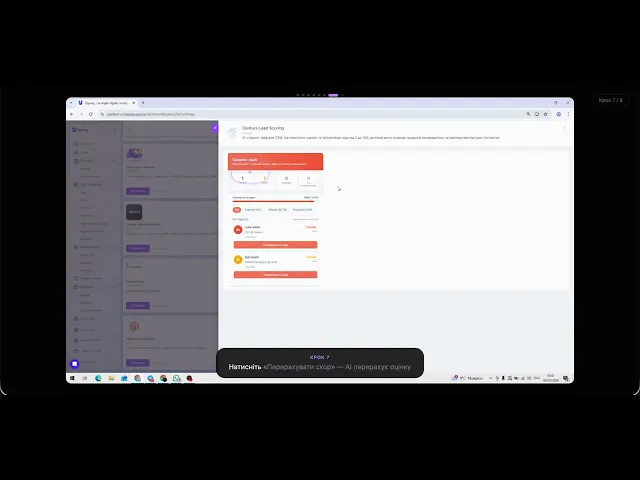
Review the Dashboard — See Hot, Warm, and Cold lead segments on the scoring dashboard.
Recalculate Scores — Click Recalculate Score to run AI scoring on all contacts.
View Lead Details — Click on any lead to see the score, top factors, and similar customers.
Done! — Your Uspacy CRM is now enriched with AI lead scores. Scores update automatically.
How to get started
Follow the video guide below to install and configure the integration. Takes about 5 minutes.
SOC 2 Type II
GDPR Compliant
Verified Integration


